How to connect a database?
General Information
The Databases tab in the IceHost.pl panel allows you to create and manage MariaDB, MongoDB, and Redis databases for your Minecraft server. MariaDB is a compatible alternative to MySQL, offering high performance and full integration with plugins.
A database is a system for storing and managing plugin data, such as ranks or player statistics (i.e., player data), enabling fast access, integration with other services, and easy synchronization between Minecraft servers.
Database Configuration
Create a database in the panel:
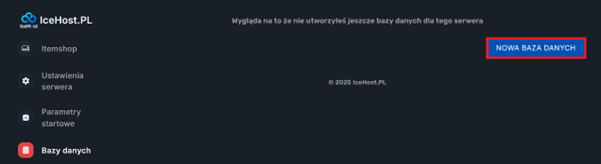
- Go to the
Databasestab (located on the left side of the navigation bar).

- Click the
New Databasebutton.
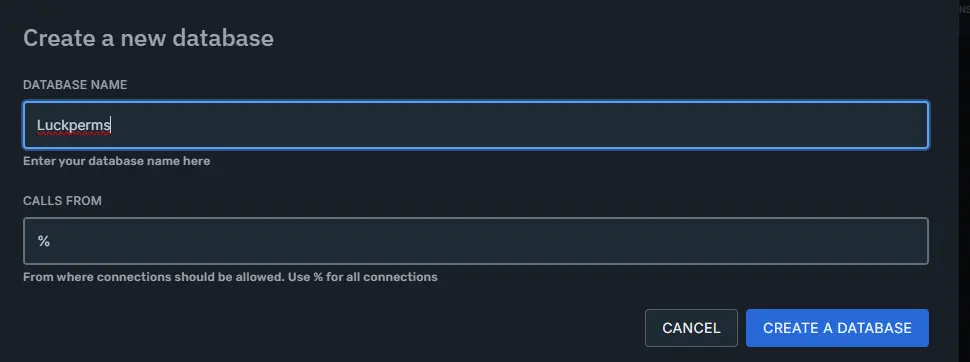
- Enter the database name (e.g.,
LuckPerms) and click theCreate Databasebutton.
- Click the highlighted option in the image and save the generated data:
host:port,username,password, anddatabase name.

Plugin Configuration (e.g., LuckPerms)
If you are using LuckPerms not for the first time and already have ranks created, run the command /lp export before proceeding with the steps below.
If you want to keep the ranks after transferring the database, after completing the steps below use the command /lp import [exported_file]
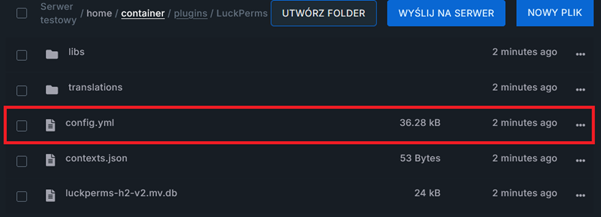
- In the
Filestab, find the file:
plugins/LuckPerms/config.yml
- Find the
STORAGE SETTINGSsection.
In this section, you will find the following data:
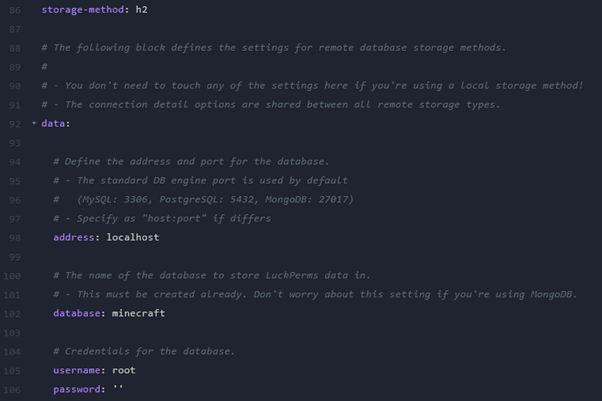
- Adjust all data to match your database. If you are using a database created in the
Databasestab, setstorage-methodtoMariaDB. - Then enter the database server details.
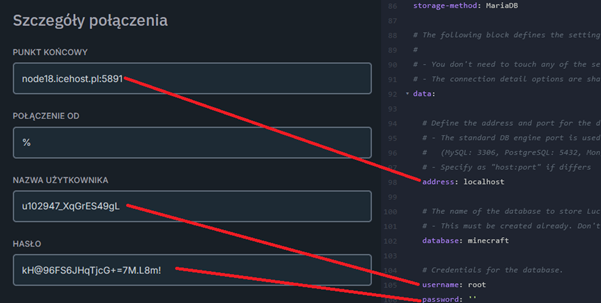
- In the
database:value, enter the name of the database assigned to you.

- The final configuration should look as follows:
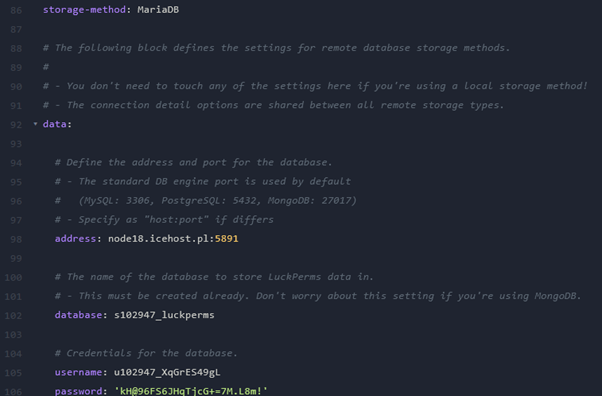
- After saving the file, go to the
Consoletab and restart the server.
Once properly started, the LuckPerms plugin should now operate on the database.